

Step by step
Capture a crash for support
- 1
Open diagnostics
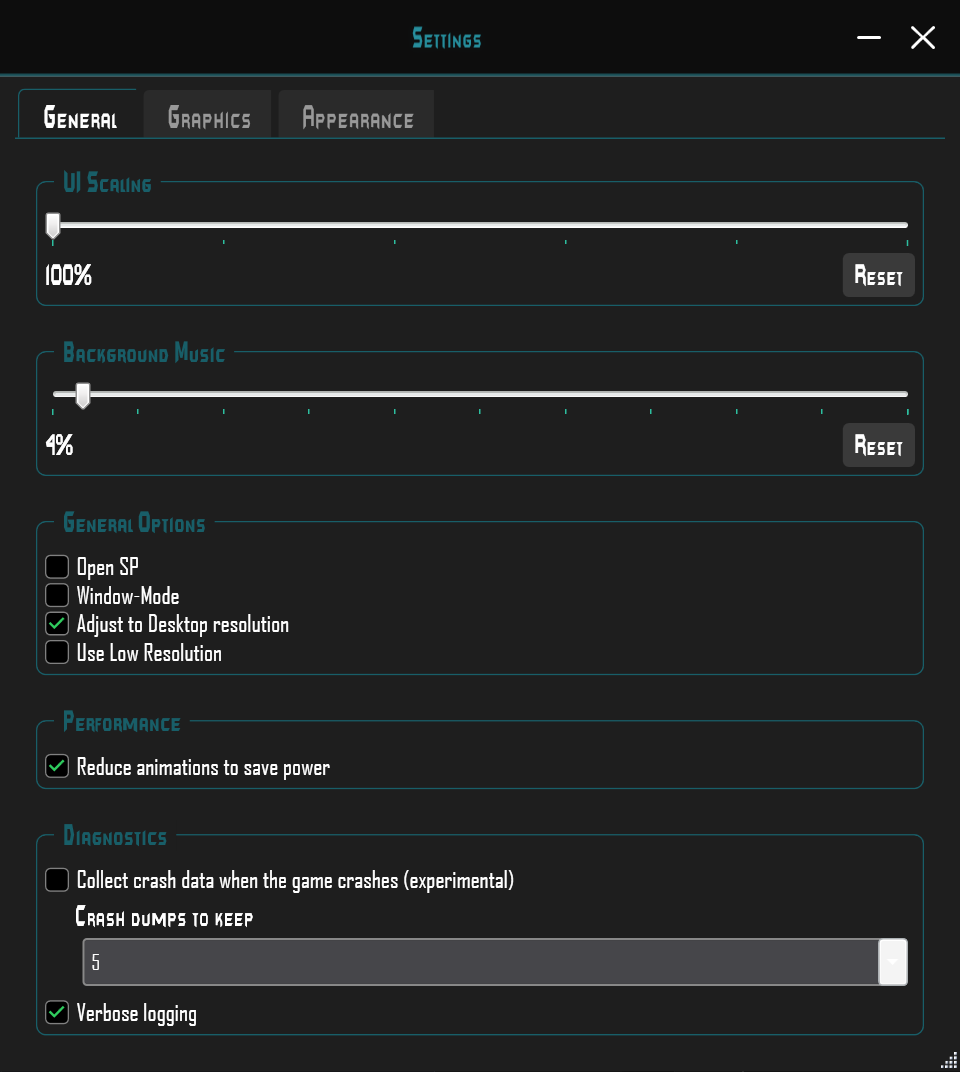
Open Settings → General → Diagnostics.
- 2
Enable capture
Enable optional crash-dump capture when needed. Note its experimental designation.
- 3
Reproduce the issue
Record the time and action that caused the crash. Then check CrashDumps/ in the launcher folder.
- 4
Create a support package
Create the package in the Log window; it can include up to two of the newest dumps.
Enable collection
If the game crashes, you can enable crash dump collection under Settings → General → Diagnostics. It is optional and marked experimental.
Generated files are stored in CrashDumps/ within the launcher folder. Collection and the number of retained dumps depend on your settings.
Help the community investigate a crash
After reproducing the issue, create a support package. It may include up to two of the newest crash dumps. If collection is disabled, those dumps are not expected to be available.


